

Overview
Control Plane provides a tamper-proof audit trail for both Control Plane and custom workload actions. The audit trail UI lets you search, filter, and view these events. Every action is captured, securely stored, and indexed, whichever interface performed it. The Console, the CLI, Terraform, Pulumi, the Kubernetes operator, and AI agents on the MCP server all call the same API, so none of them can act outside the trail. In the UI, most resources include an audit trail link that opens the audit trail page with the resource ID prefilled. Additional filters can be added to drill down to specific events. Custom workloads can use the audit trail service without needing to build their own solution. See custom workloads for details.Audit Trail UI
The audit trail UI displays details for each captured event. Each action contains:- Timestamp
- Name of resource
- Type of resource
- Version
- Status
- Message
- Subject (the user that acted)
- Link to view raw JSON for the event
- Kind of resource
- Audit context (the
cplnaudit context shows only Control Plane actions) - Resource name or ID
- Subject name
- Start and optional end date
Sample Audit Trail UI
Below is a sample of the audit trail UI after executing a query that returns captured actions: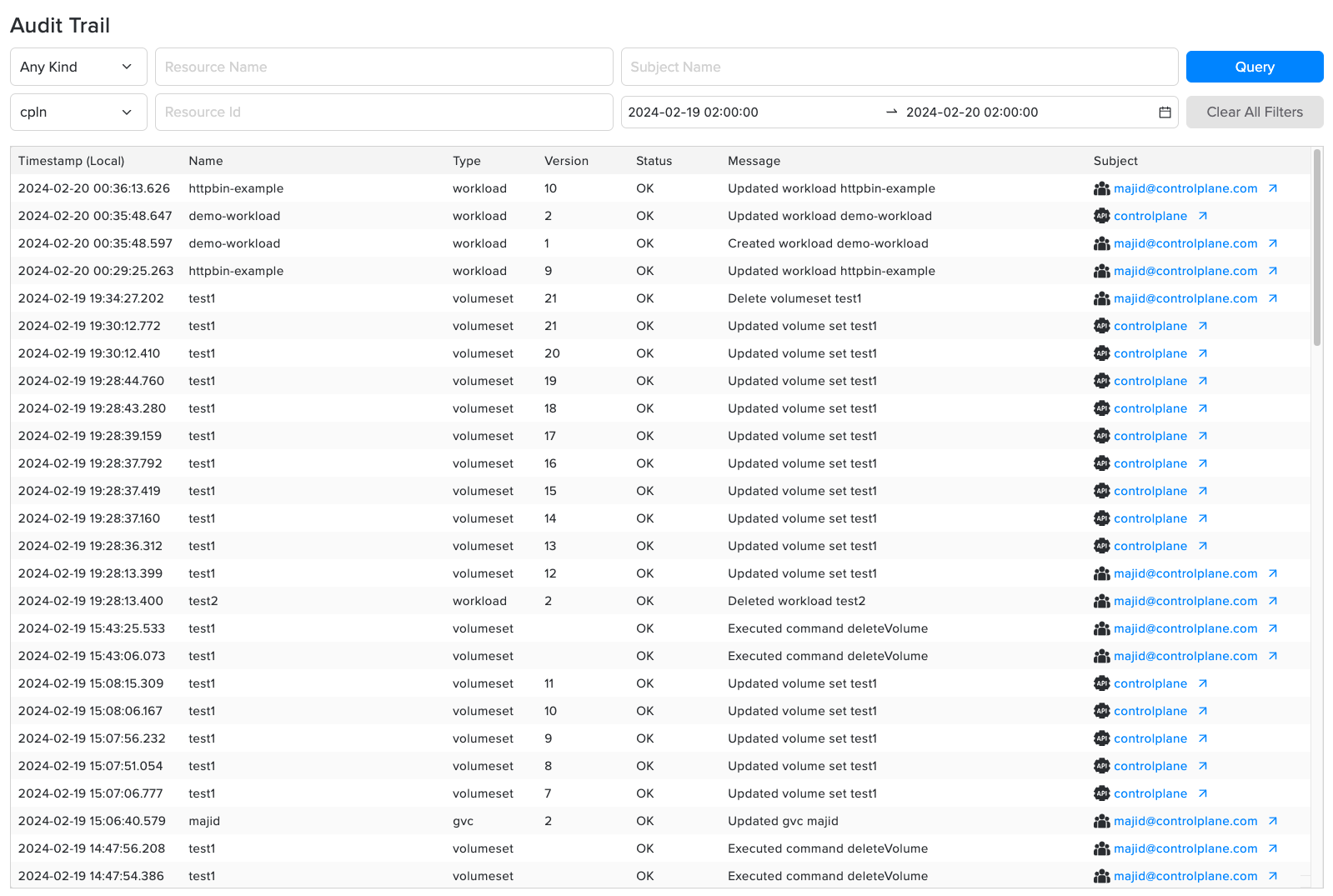
Custom Workloads
The audit trail architecture is generic and allows any workload to securely and reliably capture events. To use the audit trail, a workload must first create an audit context. See the audit context reference for configuration details.Detailed workload integration examples will be available soon.
View Custom Audit Trail
To view the actions captured by your workload, you can use:- Control Plane Audit Trail UI:
- You can select an audit context to view only those actions.
- Control Plane audit API:
- Use the API to create a custom UI for audit data.
- View the Audit API OpenAPI spec to review the audit schema and available methods.