> ## Documentation Index
> Fetch the complete documentation index at: https://docs.controlplane.com/llms.txt
> Use this file to discover all available pages before exploring further.
# Logs
> Send pod logs and Kubernetes audit records from your Managed Kubernetes cluster to Control Plane for centralized querying in the web UI or Grafana.
## Overview
The Logs add-on, once enabled, will send logs from pods running on the cluster, and optionally, [Kubernetes audit records](https://kubernetes.io/docs/tasks/debug/debug-cluster/audit/), to Control Plane. This will allow you to query the logs and audit records from your clusters managed by the Control Plane centrally in the web UI or in Grafana.
## Supported Providers
* [AWS](../aws)
* [Hetzner](../hetzner)
* [Generic](../generic)
## How to Enable
The Logs add-on can be enabled for your Kubernetes cluster either during the cluster creation process or at any time thereafter. The following sections outline the methods for enabling the add-on:
### At Cluster Creation
* **Through Cluster Manifest**: Add the following snippet to your cluster manifest when creating the cluster:
```yaml YAML theme={null}
spec:
...
addOns:
logs: {}
...
```
* **Using the Console**: If you're creating the cluster through the console, navigate to `Add-ons`, find the `Logs` add-on in the list of available add-ons, and toggle it on.
### After Cluster Creation
If the Logs add-on was not enabled during the cluster creation, you can still enable it using either of the following methods:
#### Using Manifest
Under `spec.addOns` in the YAML manifest of the cluster, you can edit it either by navigating to the cluster in the Console and using the `Edit & Apply` option for the cluster, or by applying the entire manifest using the `cpln apply >_` option in the upper right corner or by using the `cpln` [CLI](/cli-reference/overview).
Add the following:
```yaml YAML theme={null}
spec:
---
addOns:
logs: {}
```
#### Using UI
1. **Navigate to Control Plane Console**: Visit the [Control Plane Console](https://console.cpln.io/console/).
2. **Navigate to the Kubernetes cluster**: In the Control Plane Console, navigate to `Kubernetes` in the left sidebar panel and click on the Kubernetes cluster for which you want to enable logging.
3. **Enable Logs**: Choose `Add-ons` and locate the `Logs` add-on from the list of available add-ons, then toggle it on.
## Configuring Logs add-on
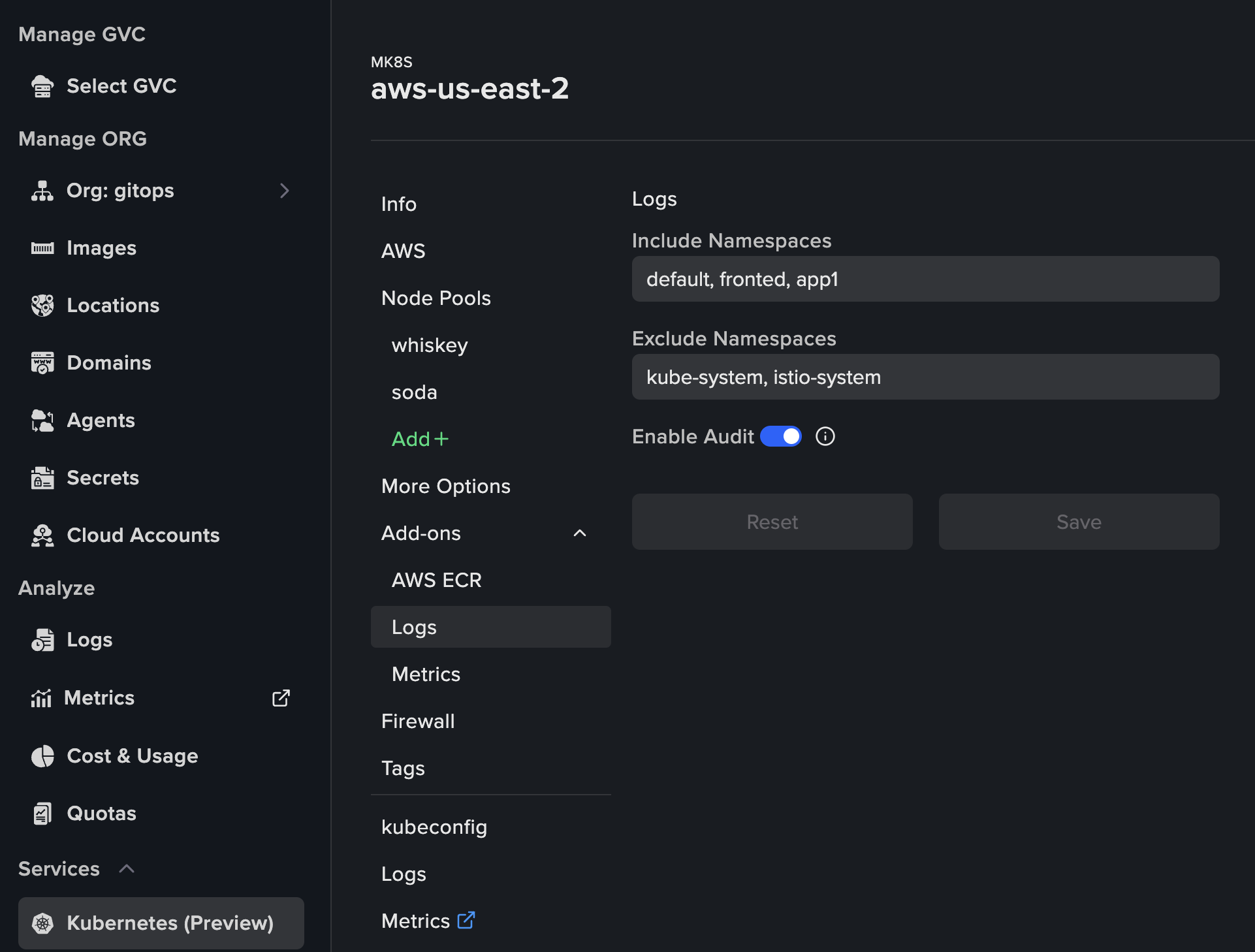
The configuration is optional. You can configure the following:
* List of namespaces to include for logging collection
* List of namespaces to exclude for logging collection
* Enable/Disable audit
You can make the configuration in the UI for your cluster, as displayed in the picture below, or by modifying the clusters object spec.
 Alternatively, directly edit the clusters object spec:
```yaml YAML theme={null}
spec:
---
addOns:
logs:
auditEnabled: true
excludeNamespaces: kube-system, istio-system
includeNamespaces: default, fronted, app1
```
## Analyzing Logs
Once enabled, you can analyze the logs and audit events. For LogQL query examples and Grafana integration, see the [Logs](/core/logs) documentation.
1. **Navigate to Control Plane Console**: Visit the [Control Plane Console](https://console.cpln.io/console/).
2. **Analyze logs**: In the Control Plane Console, navigate to `Logs` in the left sidebar panel.\
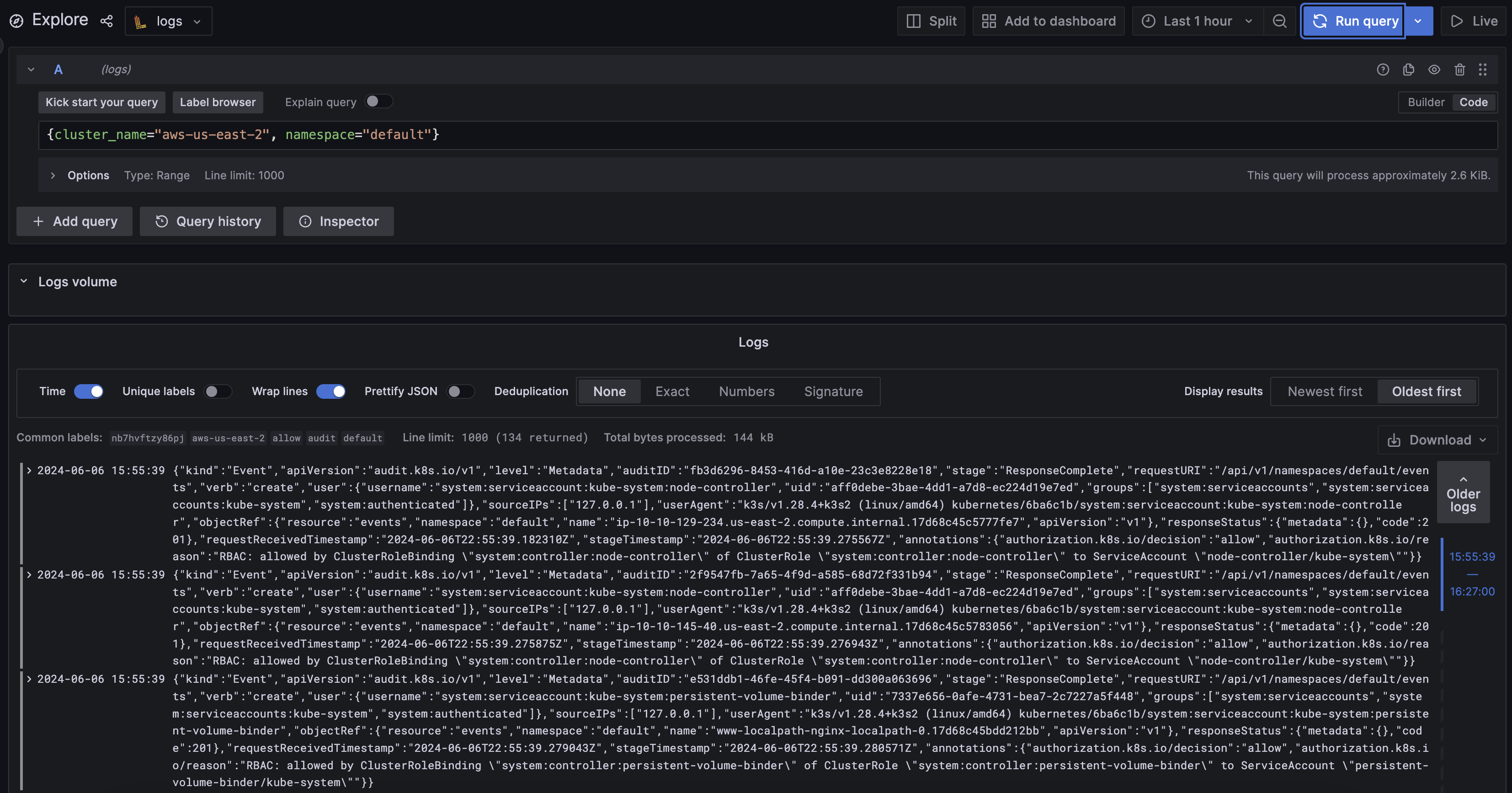
Use [LogQL](https://grafana.com/docs/loki/latest/query/) for query. Example query: `{cluster_name="aws-us-east-2", namespace="default"}`
Alternatively, directly edit the clusters object spec:
```yaml YAML theme={null}
spec:
---
addOns:
logs:
auditEnabled: true
excludeNamespaces: kube-system, istio-system
includeNamespaces: default, fronted, app1
```
## Analyzing Logs
Once enabled, you can analyze the logs and audit events. For LogQL query examples and Grafana integration, see the [Logs](/core/logs) documentation.
1. **Navigate to Control Plane Console**: Visit the [Control Plane Console](https://console.cpln.io/console/).
2. **Analyze logs**: In the Control Plane Console, navigate to `Logs` in the left sidebar panel.\
Use [LogQL](https://grafana.com/docs/loki/latest/query/) for query. Example query: `{cluster_name="aws-us-east-2", namespace="default"}`
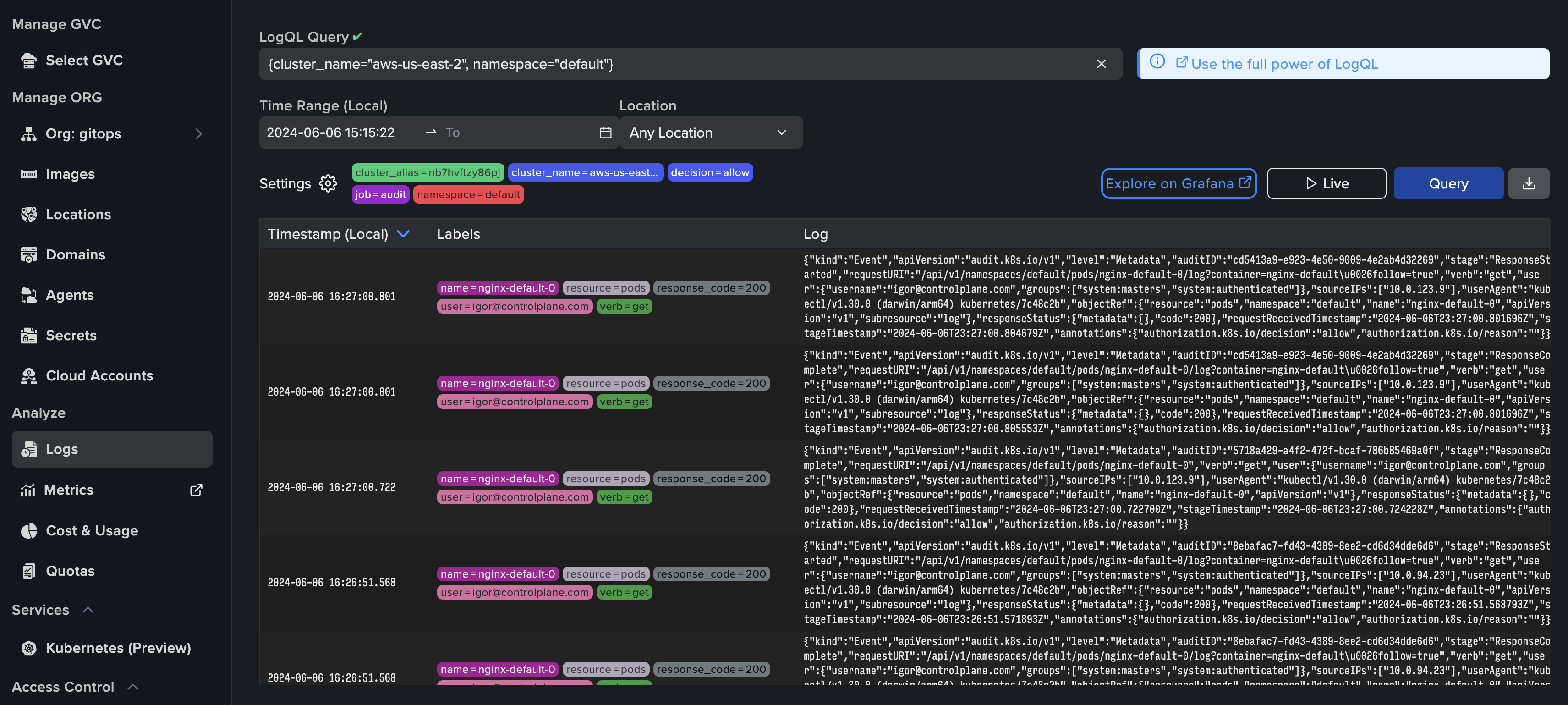 Click on `Explore On Grafana` and analyze logs in Grafana: